
- Ava veebilehitsejas Code Sandbox sait ja vali Static või HTML 5 Template
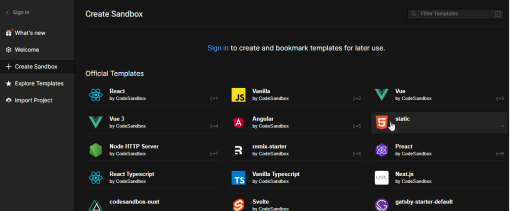
- Vali Official Templates alt static
- Kirjuta pildil olev kood index.html faili. Alustuseks kasuta HTML trafaretti (hüüumärk ja tab klahv).
Vali Official Templates alt static:
Lõplik kood ja pildid, mida see peaks väljastama.
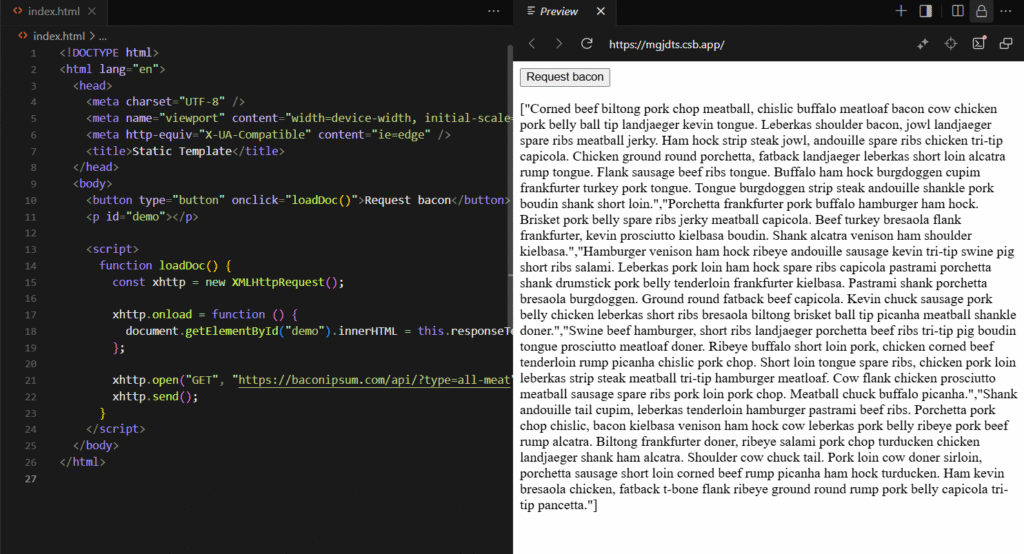
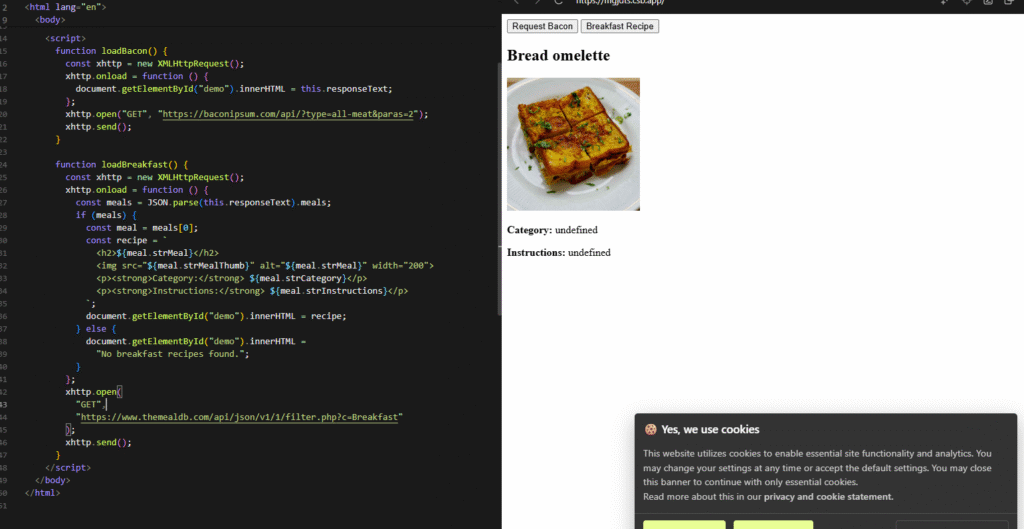
Ülesande algkood:
<!DOCTYPE html>
<html lang="en">
<head>
<meta charset="UTF-8" />
<meta name="viewport" content="width=device-width, initial-scale=1.0" />
<meta http-equiv="X-UA-Compatible" content="ie=edge" />
<title>Static Template</title>
</head>
<body>
<button type="button" onclick="loadBacon()">Request Bacon</button>
<button type="button" onclick="loadBreakfast()">Breakfast Recipe</button>
<p id="demo"></p>
<script>
function loadBacon() {
const xhttp = new XMLHttpRequest();
xhttp.onload = function () {
document.getElementById("demo").innerHTML = this.responseText;
};
xhttp.open("GET", "https://baconipsum.com/api/?type=all-meat¶s=2");
xhttp.send();
}
function loadBreakfast() {
const xhttp = new XMLHttpRequest();
xhttp.onload = function () {
const meals = JSON.parse(this.responseText).meals;
if (meals) {
const meal = meals[0];
const recipe = `
<h2>${meal.strMeal}</h2>
<img src="${meal.strMealThumb}" alt="${meal.strMeal}" width="200">
<p><strong>Category:</strong> ${meal.strCategory}</p>
<p><strong>Instructions:</strong> ${meal.strInstructions}</p>
`;
document.getElementById("demo").innerHTML = recipe;
} else {
document.getElementById("demo").innerHTML =
"No breakfast recipes found.";
}
};
xhttp.open(
"GET",
"https://www.themealdb.com/api/json/v1/1/filter.php?c=Breakfast"
);
xhttp.send();
}
</script>
</body>
</html>
Kokku võtte:
XHTTP.OPEN(“GET”, URL) – AVAB UUS HTTP PÄRING
XTTP.SEND() – SAADAB PÄRINGU SERVERISSE
XMLHTTPREQUEST – AJAX PÄRING, MIS SAADAB API AADRESSILE SAADAB API aadressile päringu.